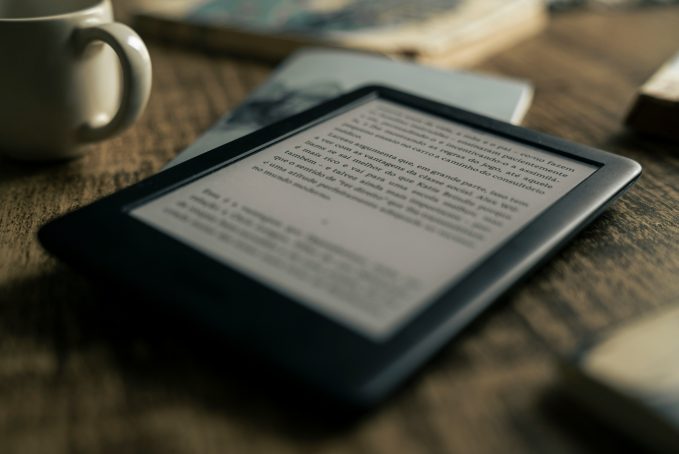
Kindle Paperwhite vs Kindle: Which Kindle Should You Buy in 2026?
Choosing between the Kindle Paperwhite and the standard Kindle sounds easy until you actually start comparing them. They both read books. They both have sharp E Ink screens. They both last for weeks. They both plug into Amazon’s huge Kindle Store. And if you’re replacing an ancient Kindle from years ago, either one will feel like a nice upgrade.
But the differences matter more than they first appear. The latest Kindle Paperwhite is bigger, warmer, waterproof, longer-lasting, and nicer for long reading sessions. The latest standard Kindle, also called the non-Paperwhite Kindle, is cheaper, smaller, lighter, and honestly good enough for loads of people.
So this Kindle Paperwhite vs Kindle guide is not just about specs. It’s about where you read, how often you read, whether you care about warm light, how much you want to spend, and whether Amazon is even the right eReader ecosystem for you.
Quick verdict: Kindle Paperwhite vs Kindle
Buy the Kindle Paperwhite if you read most days, read in bed, travel a lot, want waterproofing, or want the best all-round Kindle without jumping up to a Kindle Scribe or Kindle Colorsoft. It is the better device, and for many people it is the best Kindle overall.
Buy the standard Kindle if you want the cheapest good Kindle, read mostly novels, commute with a small bag, or are buying a first eReader and do not want to overspend. The standard Kindle is not fancy, but it is sharp, compact, and very easy to live with.
Consider a different eReader if you want easier library borrowing outside the US, colour comics, open file support, Android apps, page-turn buttons, note-taking, or less Amazon lock-in. Kobo, Boox, PocketBook, and Nook all make sense for certain readers.
Kindle Paperwhite vs Kindle comparison table
Specs below are based on current product information, but prices can change quickly depending on region, retailer, storage size, lock-screen ads, bundles, and sales. Treat the price row as general positioning rather than a fixed forever number.
| Feature | Kindle Paperwhite | Standard Kindle |
|---|---|---|
| Screen size | 7-inch | 6-inch |
| Display quality | 300 ppi, glare-free, higher-contrast Paperwhite display | 300 ppi, glare-free display |
| Warm light | Yes, adjustable white-to-amber light | No warm light |
| Waterproofing | Yes, IPX8 | No official waterproofing |
| Storage | 16GB; Signature Edition has 32GB | 16GB |
| Battery life | Up to 12 weeks | Up to 6 weeks |
| Size and weight | Larger and slightly heavier | Smaller and lighter |
| Price positioning | Mid-range Kindle | Cheapest main Kindle |
| Best use case | Bedtime reading, holidays, daily reading, bath/pool use | Budget buyers, commuters, first Kindle, smaller hands |
Amazon lists both current Kindle models as 300 ppi devices with 16GB storage, while the Paperwhite adds the larger 7-inch display, adjustable warm light, IPX8 waterproofing, and longer quoted battery life.
Design and build quality
The standard Kindle is the cute one. It is small, light, and easy to throw into a bag. It is noticeably easier to hold one-handed than the Paperwhite, and that matters if you read on the train, in a queue, or half-asleep in bed.
The Paperwhite feels more grown-up. It has a larger body, a bigger screen, and a more premium reading surface. It is still thin and portable, but it is not as pocketable as the standard Kindle. The extra size is not wasted, though. More screen means fewer page turns, better line spacing, and a calmer reading layout.
Build-wise, the Paperwhite wins because of waterproofing. Amazon rates the Paperwhite as IPX8, which makes it far less stressful around pools, beaches, sinks, and baths. That does not mean you should treat it like a bath toy, but it does mean the Paperwhite is much more relaxed around water than the standard Kindle.
The standard Kindle is simpler. No waterproofing, no warm light, no premium extras. But it also feels less precious. If you want a device that exists to read books and disappear into your routine, the standard Kindle does that well.
Screen and reading experience
Both Kindles have sharp 300 ppi screens, so text looks crisp on both. This is important because older budget eReaders often had softer text. The current standard Kindle does not feel like a blurry cheap model. It is a proper reading device.
The Paperwhite still has the better screen experience. The jump from 6 inches to 7 inches sounds small, but it changes the feel of reading. You get more words on a page, bigger fonts feel less cramped, and long chapters feel less stop-start.
The standard Kindle is still pleasant to read on. For novels, memoirs, fantasy, thrillers, romance, and general nonfiction, it does the job really well. The Paperwhite just gives you a more spacious, polished version of the same basic experience. If you are asking for the best pure reading screen in this Kindle vs Paperwhite comparison, the answer is the Paperwhite.
Front light and warm light
This is one of the biggest real-world differences. The standard Kindle has an adjustable front light. That means you can read in the dark without a lamp, and because it is front-lit rather than backlit like a tablet, it feels softer than reading on a phone or iPad.
The Paperwhite has an adjustable front light and warm light. You can shift the display from white to amber, which makes night reading feel less harsh. This is one of those features that sounds like a minor luxury until you use it every evening.
Warm light is not essential, but once you get used to it, going back feels a bit cold. It is especially nice if you read before sleep, share a room, or hate the blue-white glow of screens at night.
Reading at night
For bedtime reading, the Paperwhite is the easy winner. The warmer screen is more relaxing, the larger page is easier to read at lower brightness, and the battery lasts longer between charges. The standard Kindle is fine in bed, especially if you keep brightness low or use dark mode, but its light is cooler and the smaller display can feel tighter if you bump up the font size.
If your Kindle mostly lives on your bedside table, get the Paperwhite. This is one of those upgrades that does not look dramatic on a spreadsheet but feels obvious after a week.
Waterproofing and travel use
The Paperwhite is the better travel Kindle. Not because the standard Kindle is bad for travel, but because the Paperwhite removes more little worries. Poolside? Paperwhite. Beach bag? Paperwhite. Bath? Paperwhite. Rainy camping trip? Paperwhite. A bottle of water leaking in your backpack? Again, Paperwhite.
The standard Kindle is easier to carry because it is smaller and lighter, so commuters and hand-luggage minimalists may prefer it. But if “holiday Kindle” is the job, the Paperwhite is the safer buy.
Battery life
Both Kindles last long enough that you will probably forget where you left the charger. Amazon rates the Paperwhite at up to 12 weeks and the standard Kindle at up to 6 weeks, based on typical reading assumptions. In real life, battery life depends on brightness, Wi-Fi, Bluetooth, audiobook use, indexing new books, and how often you read.
The basic takeaway is simple: the Paperwhite lasts longer, and both last much longer than a phone or tablet.
Storage and audiobook support
Both the standard Kindle and the regular Paperwhite come with 16GB storage. For normal ebooks, that is loads. You can carry thousands of books before storage becomes a problem.
Audiobooks are different. They take up much more space, and both models support Audible playback over Bluetooth. Neither is really trying to replace your phone as your main audiobook device, but the option is there if you want a distraction-free listening setup.
The Paperwhite Signature Edition adds 32GB storage, wireless charging, and an auto-adjusting front light. It is nice, but not the model most people need. The regular Paperwhite is the sweet spot.
Performance and software
Kindle software is simple, sometimes almost too simple. You get the Kindle Store, your library, reading settings, highlights, notes, search, dictionaries, collections, and sync across Kindle apps.
The Paperwhite is positioned as the faster Kindle, and it does feel like the smoother device overall. The standard Kindle is not slow in a frustrating way, though. Page turns are fine, book loading is fine, and reading itself is calm and distraction-free.
Menus, store browsing, and large libraries still feel very Kindle-ish. That means you should not expect iPad speed. But honestly, that is part of the appeal. A Kindle should not beg you to check email, watch videos, or scroll social media.
Portability
The standard Kindle wins portability. It is lighter, smaller, and easier to hold one-handed. It is the better commuter Kindle and the better “I always keep it in my bag” Kindle.
The Paperwhite is still portable, but it is more of a sofa, bed, beach, and travel reader than a tiny everyday gadget. If you have small hands or want the least bulky eReader possible, the standard Kindle is lovely.
Price and value for money
The standard Kindle is the better bargain. It gives you the core Kindle experience, a sharp 300 ppi screen, front light, USB-C charging, and 16GB storage for much less money.
The Paperwhite is the better value if you read a lot. The extra money buys features you actually feel every day: bigger screen, warm light, waterproofing, longer battery life, and a more comfortable reading setup.
My honest take? If the price difference feels painful, buy the standard Kindle and do not feel bad, it’s good, great even. If you can afford the Paperwhite without stretching, buy the Paperwhite. You are unlikely to regret the upgrade. Buying the best you can afford here will really pay dividends.
Best Kindle for students
For students reading novels, essays, set texts, and lighter nonfiction, the standard Kindle is probably enough. It is cheaper, lighter, and easy to carry around campus.
For students reading for long sessions at night, the Paperwhite is better. The warm light and larger screen are kinder during long reading blocks.
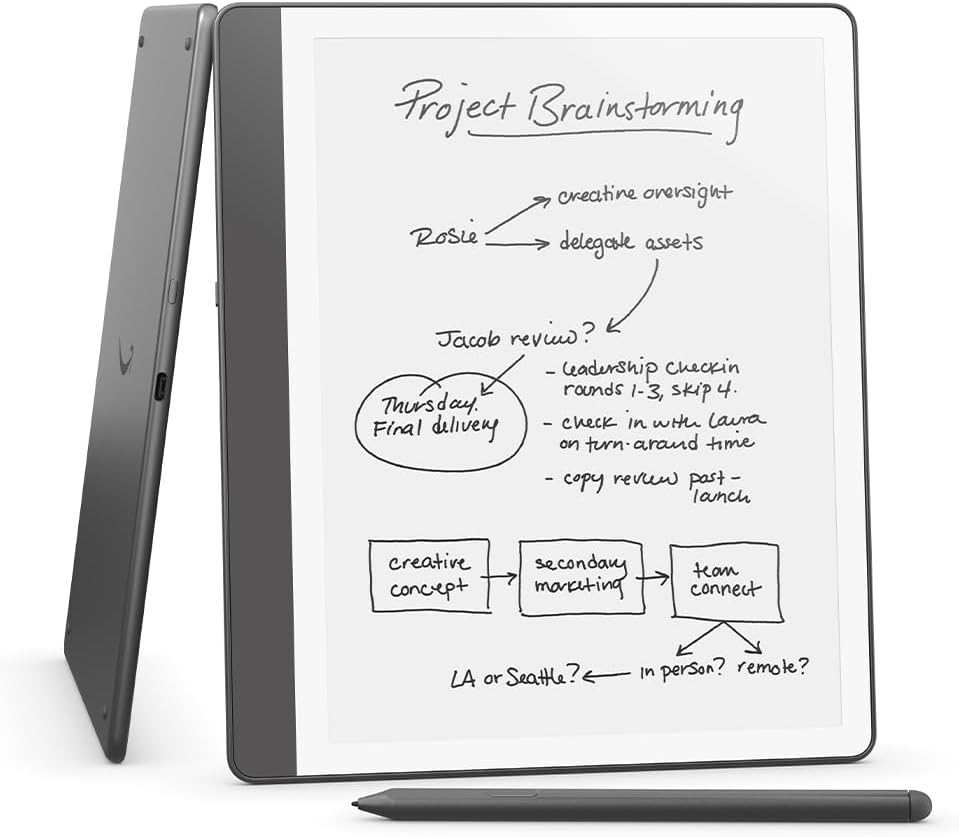
For students dealing with PDFs, textbooks, diagrams, or note-heavy work, neither is ideal but for a little bit more you can look at the Kindle Scribe, Kobo Elipsa, Boox tablets, or an iPad or iPad Pro instead.
Best Kindle for holidays
The Kindle Paperwhite, no contest. Waterproofing, bigger screen, longer battery life, and a better front light make it the Kindle I would pack for a beach holiday or long trip. The standard Kindle is fine for a city break, but the Kindle Paperwhite is more relaxed around water and sun.
Best Kindle for younger readers
For younger readers, the standard Kindle Kids model is usually the sensible pick because it keeps the cost down and the device is small enough for smaller hands. The Paperwhite Kids version makes more sense if the child reads a lot, travels often, or will use it near water.
As always with kids’ bundles, check exactly what is included before buying. Covers, warranties, Amazon Kids+ offers, and subscription periods can vary by region and promotion.
Best Kindle for serious readers
The Paperwhite is the best Kindle for serious readers who mainly read text. The bigger screen makes long sessions nicer, warm light is excellent at night, and waterproofing means it can follow you around without drama. You do not need the Signature Edition unless you specifically want 32GB storage, auto brightness, or wireless charging.
Best Kindle for people buying their first Kindle
The standard Kindle is the safest first Kindle for price. It gives you the real Kindle experience without asking you to spend Paperwhite money.
But the Paperwhite is the better first Kindle if you already know you read often. It feels like the one you will still be happy with three or four years later.
Kindle Paperwhite vs other eReaders
Kindle is the default choice, but it is not the only good eReader world.
Kobo Clara and Kobo Libra
The Kobo Clara BW is probably the closest non-Amazon rival to the standard Kindle and Paperwhite. It has a 6-inch E Ink screen, 16GB storage, waterproofing, dark mode, and ComfortLight PRO for adjusting colour temperature.
The Kobo Libra Colour is more of a Paperwhite alternative with extras. It has a 7-inch colour E Ink Kaleido 3 display, 32GB storage, page-turn buttons, stylus compatibility, ComfortLight PRO, waterproofing, and strong library-friendly features where supported.
Kobo is especially tempting if you want more freedom with EPUB files or library borrowing. The devices are friendly, the screens are good, and the Kobo store is decent. Kindle still has the larger, smoother store ecosystem, but Kobo feels less locked down.
Boox eReaders
Boox eReaders are for people who want freedom and do not mind extra complexity. Devices like the Boox Go Color 7 run Android, support Google Play, offer expandable storage, and let you install apps such as Kindle, Kobo, Libby, Readwise, and news apps. That flexibility is brilliant if you want one E Ink device for lots of services. It is less brilliant if you want something simple enough to hand to a parent and never troubleshoot.
Boox is not really “better Kindle”. It is more like “Android tablet, but E Ink”. For tinkerers, students, app-hoppers, and people who hate being boxed into one store, that can be perfect.
PocketBook devices
PocketBook is worth a look if file support matters. For example, the PocketBook Verse Pro Color has a 6-inch colour E Ink Kaleido 3 screen, Bluetooth audio, text-to-speech, IPX8 water protection, SMARTlight, and broad file format support including comics formats and Adobe DRM.
PocketBook devices do not have the same mainstream pull as Kindle or Kobo, but they are appealing if you own lots of files and want an eReader that feels more open.
Nook
Nook is mostly relevant for US readers who like Barnes & Noble. The Nook GlowLight 4 Plus has a large flush-front display, waterproof design, Bluetooth/headphone audiobook support, and physical page-turn buttons.
For UK buyers, Nook is usually not the practical choice. For US buyers who already shop at Barnes & Noble and like physical page buttons, it still has a place.
Why someone might leave the Kindle ecosystem
The biggest reason to leave Kindle is freedom. Kindle is brilliant if you buy from Amazon. It is less brilliant if you want to borrow library books easily outside the US, manage your own EPUB collection, use several reading apps, or avoid one-company lock-in.
Kobo is usually the best Kindle alternative for normal readers. Boox is best for people who want Android apps and flexibility. PocketBook is great for file support. Nook makes sense for Barnes & Noble loyalists in the US.
Why someone might still prefer Amazon’s Kindle ecosystem
Amazon’s Kindle ecosystem is popular because it is easy. The Kindle Store is huge. Prices are often competitive. Kindle Unlimited is built in. Audible support is there. Your books sync across Kindle devices and Kindle apps. Setup is simple, and gifting Kindle books is easy.
For many everyday readers, that convenience matters more than openness. You buy a Kindle, sign in, grab a book, and read. No file formats. No app juggling. No fuss.
The wider Kindle ecosystem explained
The Kindle ecosystem is both the best and worst thing about Kindle. The good bit: Amazon makes buying and reading ebooks ridiculously easy. The Kindle Store offers millions of titles, and Kindle Unlimited gives subscribers access to a large library of ebooks, audiobooks, and magazines. Amazon UK currently lists Kindle Unlimited at £9.49 per month, though subscription pricing and offers can change.
Kindle Unlimited is great if you read lots of romance, thrillers, indie fiction, genre fiction, manga, or discovery-friendly books. It is less exciting if you mostly read brand-new hardback releases from big-name authors, because not every book is included.
Audible support is handy too. If you already buy audiobooks through Amazon, the Kindle ecosystem keeps everything feeling connected. Just remember that Kindle devices use Bluetooth for audiobook listening, so you will need headphones or a speaker.
The awkward bit is library borrowing. In the US, many library ebooks can be borrowed through OverDrive and read on Kindle. OverDrive says Kindle Books are currently available for US libraries only, so UK readers should not buy a Kindle expecting direct Libby-to-Kindle borrowing in the same way many Kobo users enjoy.
You can send personal documents to Kindle, and Amazon has improved EPUB handling through conversion, but Kobo, PocketBook, and Boox still feel friendlier if you manage your own ebook files.
Real-world buying advice
If you mostly read in bed
Buy the Paperwhite. Warm light is the feature you will appreciate every single night. The bigger screen also feels better when you are tired and using a larger font size.
If you read on holiday
Buy the Paperwhite. Waterproofing and longer battery life are worth the extra money. It is the Kindle you want by the pool, in a beach bag, or on a long trip.
If you commute
Buy the standard Kindle unless you really want warm light. Its small size is brilliant, and it is easier to hold one-handed on a train or bus.
If you want the cheapest decent eReader
Buy the standard Kindle. It is not a sad budget option anymore. The screen is sharp, the light is useful, and it gives you the core Kindle experience for less.
If you read comics or PDFs
Do not buy either of these as your main device. For comics, look at Kindle Colorsoft, Kobo Libra Colour, PocketBook colour models, Boox colour readers, or an iPad. For PDFs, go bigger. Kindle Scribe, Kobo Elipsa, Boox tablets, reMarkable, or an iPad will be less annoying.
If you want library freedom
Look at Kobo first, especially outside the US. Kindle can be awkward for library borrowing depending on where you live. Kobo is usually the cleaner choice for library-first readers.
If you are buying as a gift
The Paperwhite is the safer “nice present” Kindle. The standard Kindle is the safer budget gift. If you are buying for someone who already reads a lot, get the Paperwhite. If you are buying for someone who might use it casually, the standard Kindle is fine.
FAQ: Kindle vs Paperwhite
Is the Kindle Paperwhite worth it over the Kindle?
Yes, if you read often. The Paperwhite’s bigger screen, warm light, waterproofing, and longer battery life make it the better long-term buy. If you only read occasionally, the standard Kindle is enough.
What is the difference between Kindle and Kindle Paperwhite?
The standard Kindle has a smaller 6-inch screen, no warm light, no official waterproofing, and shorter quoted battery life. The Kindle Paperwhite has a larger 7-inch screen, adjustable warm light, waterproofing, and longer quoted battery life. Both are sharp 300 ppi eReaders with access to the Kindle Store.
Which Kindle is best for reading at night?
The Kindle Paperwhite is better for night reading because it has adjustable warm light. The standard Kindle has a front light and dark mode, but no warm light.
Is the standard Kindle good enough?
Yes. For novels, memoirs, thrillers, romance, fantasy, and general reading, the standard Kindle is absolutely good enough. It is sharp, light, compact, and much better than old entry-level Kindles.
Can you read Kindle Paperwhite in the bath?
Yes, carefully. The Paperwhite is IPX8 waterproof, but soap, bath oils, salt water, heat, and drops can still cause problems. Use common sense and dry it properly afterwards.
Are Kobo eReaders better than Kindle?
Sometimes. Kobo is better if you want library borrowing, EPUB openness, page-turn buttons, or a colour model like the Kobo Libra Colour. Kindle is better if you want Amazon’s store, Kindle Unlimited, Audible support, and the simplest buying experience.
Which eReader is best for beginners?
The standard Kindle is the easiest beginner eReader if you want Amazon. The Kobo Clara BW is a great beginner pick if you want waterproofing and more library/file flexibility.
Should I buy a Kindle or use an iPad?
Buy a Kindle if you mostly read books. Use an iPad if you read colour comics, magazines, textbooks, PDFs, or want apps. An iPad does more, but a Kindle is calmer and much better for long text reading.
How long does a Kindle last?
A Kindle can last several years if you look after it. Batteries age, screens can crack, and software support eventually matters, but Kindles tend to have a long useful life because they are simple devices built mainly for reading.
Is Kindle Unlimited worth it?
Kindle Unlimited is worth it if you read several included books per month and enjoy the genres it is strong in. It is less worth it if you mainly buy specific new releases, literary hardbacks, or library books.
Final recommendation: which Kindle should you buy?
For most people, the Kindle Paperwhite is the best Kindle to buy. It hits the right balance of screen size, comfort, waterproofing, battery life, and price. It feels like a proper upgrade, not just a basic eReader.
The standard Kindle is still easy to recommend. It is the best cheap Kindle, the best small Kindle, and the best first Kindle for someone who wants to spend less. If your budget points there, buy it happily.
But if you are already reading regularly, or you want a Kindle that feels ready for bed, bath, beach, and daily use, get the Paperwhite. In the Kindle Paperwhite vs Kindle debate, the standard Kindle wins on price and portability. The Paperwhite wins almost everywhere else.



Leave a Reply